
February brought the biggest language strategy shift since Ladybird’s founding: we removed all Swift code and replaced it with a complete Rust reimplementation of the LibJS frontend. Beyond that headline, we merged 347 PRs from 34 contributors, with major improvements to text editing, site-specific performance, CSS features, and SVG rendering.
Welcoming new sponsors
Ladybird is entirely funded by the generous support of companies and individuals who believe in the open web. This month, we’re excited to welcome the following new sponsors:
- Hnefatafl Org with $1,000
- Softwired Technologies with $1,000
We’re incredibly grateful for their support. If you’re interested in sponsoring the project, please contact us.
Adopting Rust for LibJS
Back in 2024, we tried adopting Swift as a second language alongside C++. It didn’t pan out for us, so we removed all Swift code from the codebase (#7999).
In its place, we landed a complete Rust reimplementation of the LibJS frontend pipeline: lexer, parser, AST, scope collector, and bytecode code generator (#8104). The translation was done using AI coding agents (Claude Code and Codex), human-directed rather than autonomous. The Rust pipeline produces byte-for-byte identical bytecode output to the C++ implementation, verified across 52,898 test262 tests and 12,461 Ladybird-specific tests with zero regressions.
It’s enabled by default on all platforms. You can switch back to the C++ pipeline by setting LIBJS_CPP=1, or run both pipelines in lockstep with LIBJS_COMPARE_PIPELINES=1 to verify identical output.
For the full story on why we made this change and how the translation worked, see our blog post about adopting Rust.
Text editing and selection
We spent much of February overhauling text editing and selection, and the results are really noticeable. A bunch of interactions that felt broken or missing now just work:
- Double-click and triple-click dragging : You can double-click to select a word and drag to extend the selection word-by-word, or triple-click and drag to extend paragraph-by-paragraph (#7771)
- Auto-scrolling : Dragging a selection past the edge of a scrollable container now automatically scrolls to follow your cursor (#7839)
- Scrollable text inputs : When text in an
<input>overflows the visible area, the content now scrolls properly instead of getting clipped - Caret rendering : Empty
contenteditableelements,<input>s, and<textarea>s now show a blinking caret where you’d expect one (#7859) -
::selectionstyling : CSS::selectionrules now apply to text and form controls, includingtext-decorationandtext-shadow - Tab key navigation : Tabbing into an
<input>now selects its contents, matching other browsers
Performance
We continued profiling and optimizing specific popular websites:
- Reddit : Layout and rendering optimizations driven by profiling Reddit’s infinite scroll (#7872)
- YouTube : Several rounds of profiling led to CSS property computation shortcuts, display caching, and eliminating unnecessary synchronous layouts (#8051, #8059, #8084)
- YouTube Music : Further layout and style optimizations (#8076)
- slither.io : IDL binding and overload resolution optimizations found by profiling the popular browser game (#8203)
There were also broader improvements:
- CSS custom properties now use structural sharing, so elements that inherit the same values share a single copy instead of each getting their own (#7928)
- Animated images (GIFs, etc.) now decode frames on demand instead of all at once, which cut over 1 GiB of memory usage on cloudflare.com alone (#7930)
More sites working
- Discord went from ~65 FPS to 120 FPS on an M4 MacBook. Skipping display list commands under zero-area clips (#8132) and reworking mask compositing to use
saveLayer+DstIninstead of allocating surfaces (#8100) made the biggest difference - X.com is noticeably more responsive after we stopped doing synchronous layouts for
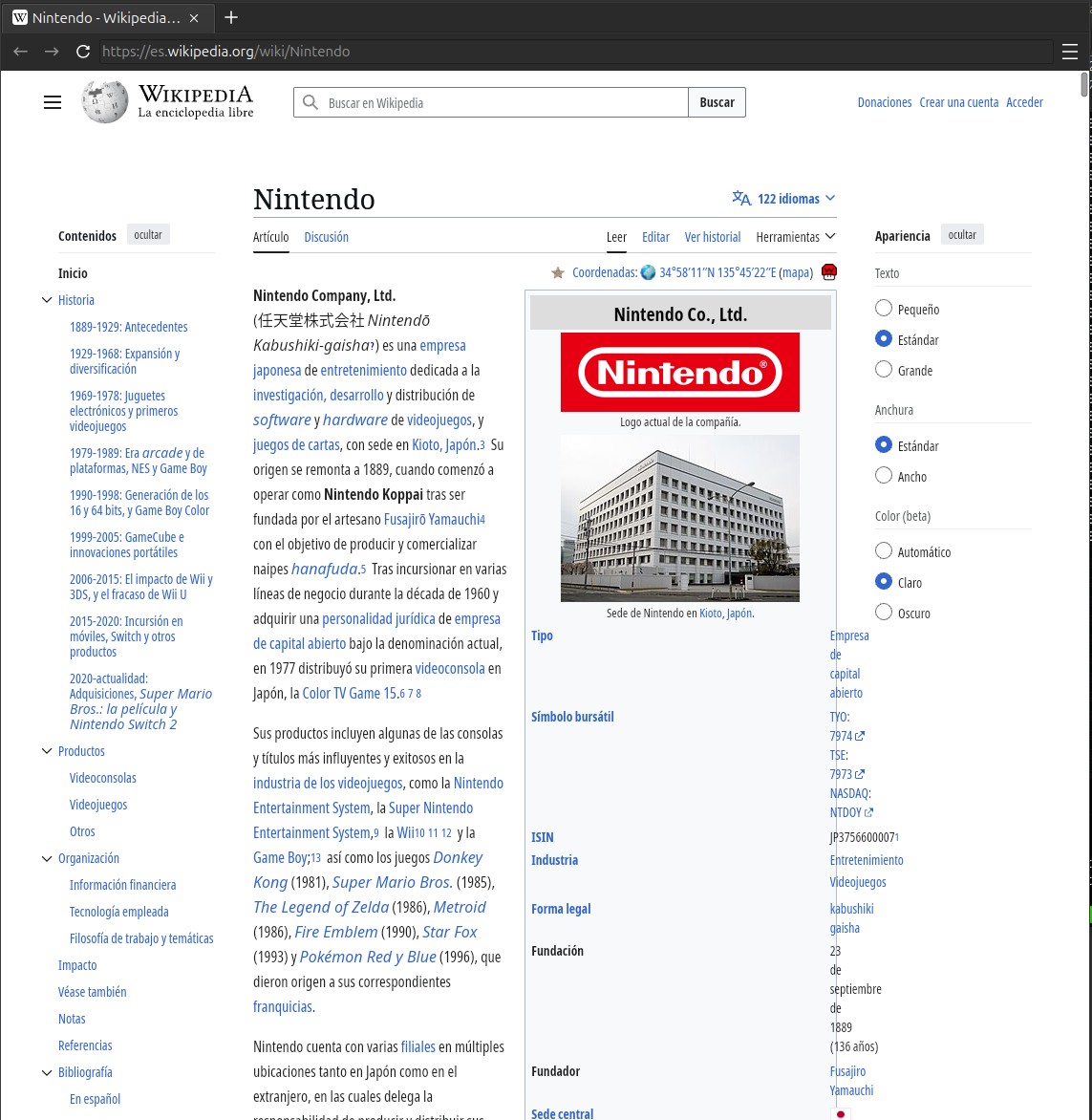
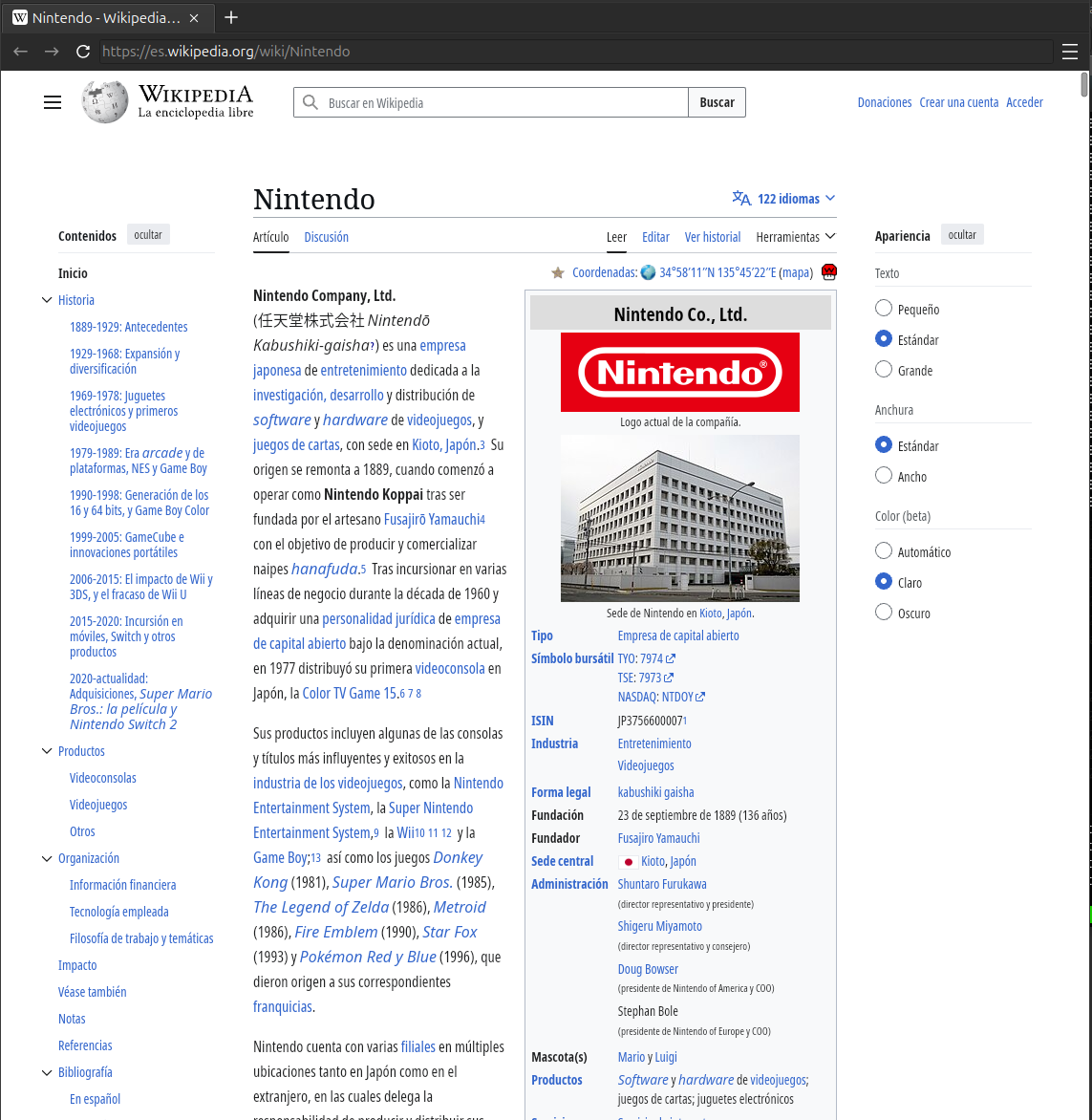
Element.clientLeftandElement.clientTop, which X calls frequently (#8084) - Wikipedia got multiple layout fixes: image boxes in articles render correctly (#7746) and colspan cells in infoboxes no longer break the layout (#7725)
Wikipedia infobox before and after:
| Before | After |
|---|---|
 |  |
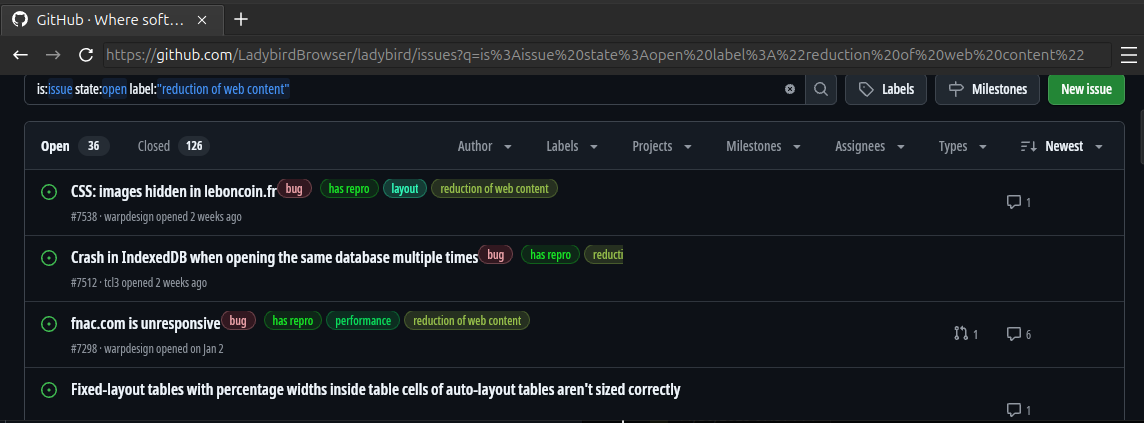
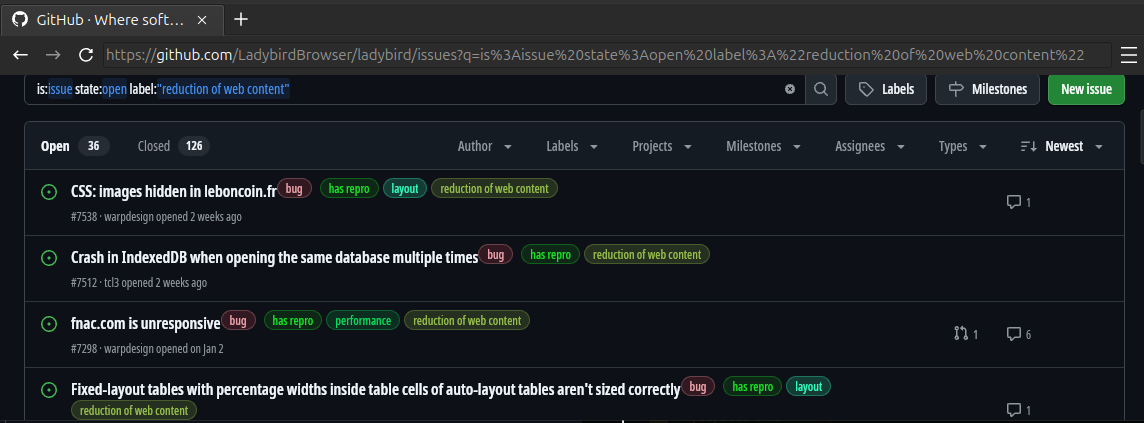
- GitHub issue labels were being clipped due to incorrect overflow handling. They now display properly (#7755)
| Before | After |
|---|---|
 |  |
- Tumblr now loads its feed after fixing scoping of function declarations with destructured parameters (#7907)
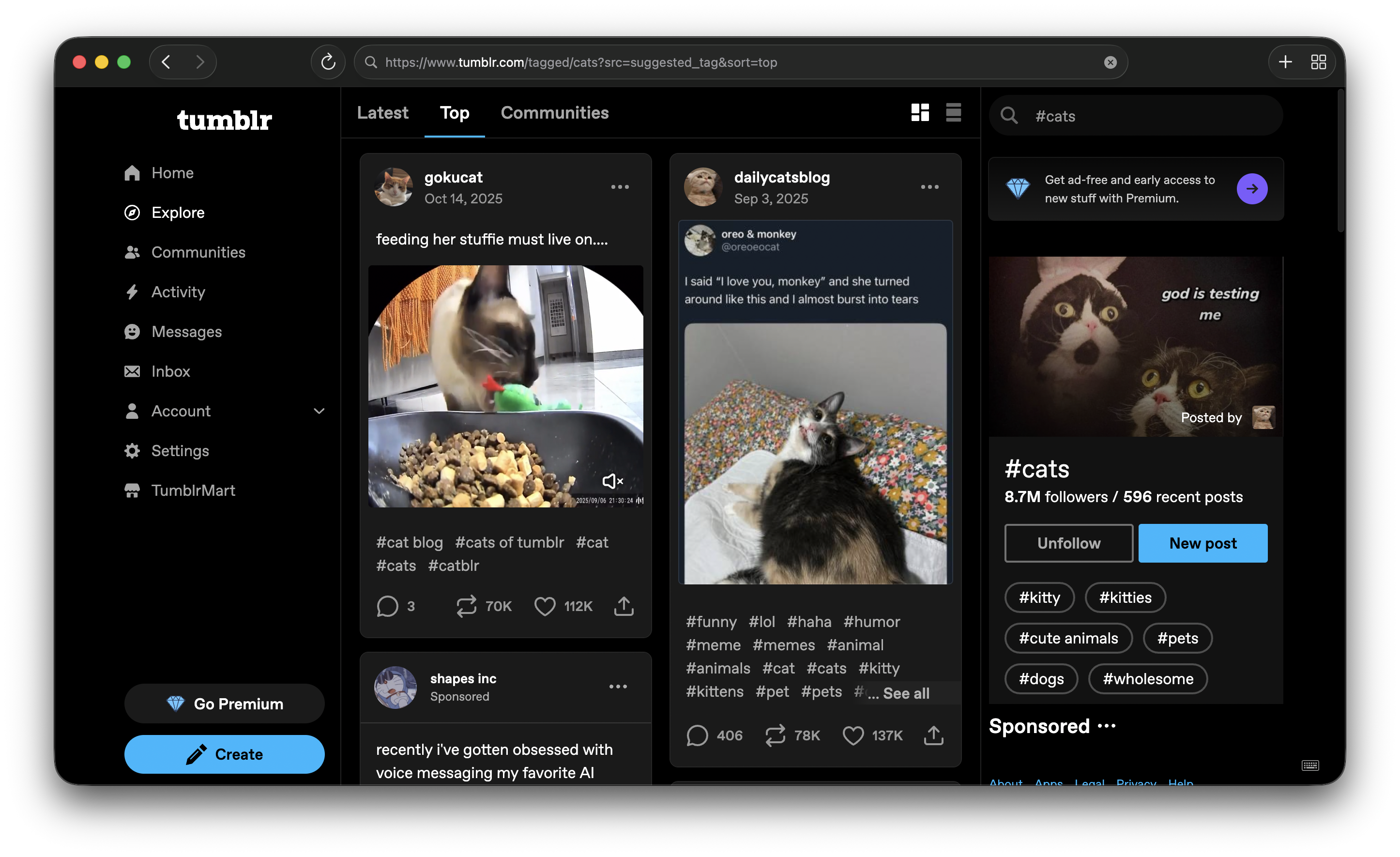
- JetBrains video playlist layout fixed by correctly applying min/max-height constraints on absolutely positioned elements (#7858)
| Before | After |
|---|---|
 |  |
CSS features
-
@counter-style: Full implementation of the@counter-styleat-rule, including all six counter system algorithms and thesymbols()function (#7708, #8052, #8196). We also added complex predefined counter styles for Chinese, Japanese, Korean, and Ethiopian numbering systems (#8180) -
font-optical-sizing: Variable fonts that include an optical size axis now automatically adjust their glyph shapes based on font size (#7666) -
ScrollTimeline: You can now drive CSS animations from scroll position instead of time usinganimation-timeline: scroll(). This enables effects like progress bars and parallax that respond to scrolling (#7196, #7883)
-
word-break: Long words and CJK text now break correctly according to the Unicode line breaking algorithm, fixing text layout on sites like the Chinese Wikipedia (#7556)
Chinese Wikipedia before and after word-break:
| Before | After |
|---|---|
 |  |
- Grid dense packing :
grid-auto-flow: densenow works, filling gaps in the grid instead of leaving holes (#7990)
SVG partial relayout
Previously, any change to an SVG element’s attributes triggered a full layout tree rebuild for the entire SVG. This month we landed partial SVG relayout (#7816), so changes to transforms, viewBox, and other attributes only invalidate the affected subtree. This makes a big difference on sites like Duolingo and Cloudflare that use animated SVGs extensively.
We also implemented SVGPatternElement (#8011), the feTurbulence filter (#7864), and dominant-baseline for SVG text (#8173).
New Media Controls
Media element controls (<audio>, <video>) have been redesigned, and are now implemented using shadow DOM instead of manual layout and painting. (#8056)
Using regular HTML elements makes adding features much easier, unlocks new options for styling (transitions, filters), all while automatically taking advantage of future improvements to layout performance.
With the controls acting as a subtree of the video element, we can now update the video frame without rebuilding the entire display list. (#8037)
Cookie versioning
The document.cookie property is used to read and write cookies from JavaScript. This property is synchronous, meaning
every cookie access blocks JavaScript execution while the browser fetches the latest cookie string. In modern multi-process
browsers, this requires inter-process communication to the process that stores the cookies. On real-world pages, scripts
frequently read document.cookie hundreds of times. The Chrome team performed a study
and found that 87% of these result in the same cookie string being returned.
Ladybird now implements cookie versioning and caching to eliminate most of those redundant look ups (#7717).
A shared version counter tracks when cookies change, and the WebContent process keeps a cached copy of the cookie string.
If JavaScript calls document.cookie and the version hasn’t changed, the cached value is returned immediately with no IPC.
As a result, hundreds of blocking calls during page load are eliminated.
We also rearchitected how we attach cookies the the HTTP Set-Cookie request header (#7847).
We previously attached this header from the WebContent process within our Fetch implementation. This used the same cookie
infrastructure as document.cookie, so this access also blocked the page for every request. We moved this operation to
our networking process, where we can asynchronously attach the cookie header.
Web Platform Tests (WPT)
Our WPT scores continued to climb alongside the real-world compatibility work, with 7,379 new test passes bringing our total to 1,998,398.
Other notable changes
- Fullscreen API : We completed the spec-compliant implementation of
requestFullscreen()andexitFullscreen(), including fullscreen event handlers, default UA styles, and proper cleanup when elements are removed or documents unloaded (#7649) - Video fullscreen : With the Fullscreen API implemented, fullscreen could be easily implemented via the new shadow DOM controls (#8129)
- LibJS architecture : Scope analysis was separated from parsing (#7852), the AST is now freed after bytecode generation (#7896), and the runtime environment stack was replaced with explicit completion records (#7840, #7846)
- JS
Numberfixes : Improved accuracy ofNumber.prototype.toPrecisionandNumber.prototype.toExponentialfor extreme values (#8036, #8063) - JS
Iteratorfeatures : ImplementedIterator.zipandIterator.zipKeyed(#8191) - Tab close confirmation : Tabs with unsaved state can now prevent accidental closure via
beforeunload(#6743) - Download images : Right-click any image and download it directly (#7735)
- test262 on PRs : JavaScript conformance tests now run on every PR (#8018)
Credits
We’d like to thank everyone who contributed code this month:
Adam Colvin, Alex Gordon, Ali Mohammad Pur, Aliaksandr Kalenik, Andreas Kling, Andrew Kaster, aplefull, Ben Wiederhake, Callum Law, Chase Knowlden, CountBleck, devgianlu, InvalidUsernameException, Jelle Raaijmakers, Jonathan Gamble, Luke Wilde, Marcus Nilsson, mikiubo, Niccolo Antonelli Dziri, Praise-Garfield, Psychpsyo, pwespi, R-Goc, Rocco Corsi, Salman Chishti, Sam Atkins, Shannon Booth, Simon Farre, Tim Ledbetter, Timothy Flynn, Undefine, Vahan Arakelyan, xnacly, Zaggy1024